Full-document generation
Generate a complete draft from your topic and requirements, ready to keep editing in your file.
AI collaboration · Conversational styles · Pro layout
Typress is a desktop document editor built for writing and layout: generate a full draft from conversation, refine headings, emphasis, tables, and formulas, then export a print-ready PDF—changing structure and styles, not just polishing wording.
Guest trial available; sign in with email or Google. Documents stay in local files.
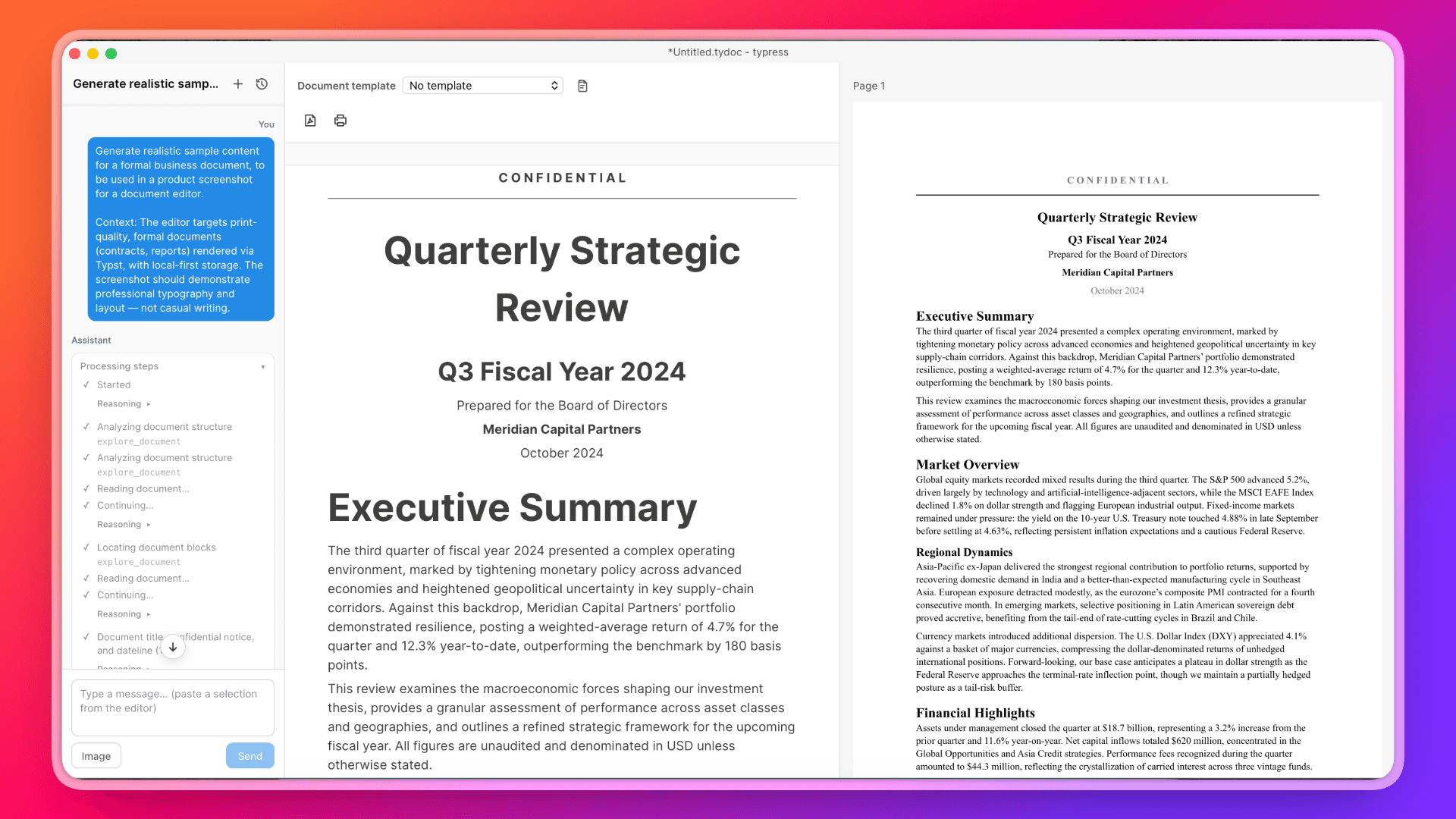
AI collaboration first—writing, styles, and layout in one flow—plus templates, print/export, and accounts.
Note: Typress does not support round-trip conversion with Microsoft Word (.doc / .docx). You can export PDF and print.
From blank page to polished draft.
Generate a complete draft from your topic and requirements, ready to keep editing in your file.
Fine-tune selected text, or ask AI in plain language to rewrite paragraphs, add detail, or unify tone.
Change structure and presentation by chat.
Batch-adjust heading levels, bold emphasis, colors, and other style presentation without clicking through every control.
Adjust column width, alignment, zebra stripes, and cell styles by conversation; describe how a formula should look to enter it in plain language.
Headers/footers and section breaks with different first page, odd/even pages, paper size, and orientation.
Templates to start; print and export to finish.
IEEE paper and resume templates today, with room to expand more scenarios later.
Preview the on-paper result, generate PDF from AI writing in matching format, and print via the system print dialog.
Guests get a trial quota. The desktop app supports email and Google sign-in for account features.
Built for writers who want AI help with drafting, precise styles, and formal layout.
Start from IEEE templates, add formulas, sections, and headers/footers, then print or export a paper-ready draft.
Use the resume template to ship a polished, consistently styled document you can export or print.
Long-form writing with fine style and table control, plus AI help when you want to rewrite or restyle.
Prices and monthly credits come from live plan configuration. Sign in to see your balance and upgrade in the dashboard.
Free
For exploration and light usage.
$10/ mo
Monthly credits: 20,000
How Typress helps you generate PDF from AI writing and ship print-ready documents.
Yes. Draft or rewrite the full document with AI, refine headings, tables, and formulas in the same file, then export PDF in the current layout. You generate PDF from AI writing after layout—not by pasting chat text into another app.
Yes. Typress combines templates, headers and footers, section breaks, print preview, and the system print dialog so you can produce print-ready documents—not just on-screen drafts.
Typress is a desktop document editor: AI can change structure, styles, tables, and formulas, and results stay in local files. You skip the chat-to-Word paste loop; writing and layout stay in one workflow.
Typress does not support round-trip conversion with .doc / .docx. Formal output is PDF export and system print. If your deliverable is PDF or paper, that path is covered.
Anyone who needs formal layout: researchers using IEEE templates, job seekers shipping resumes, and content or knowledge workers who need long-form writing with precise styles and tables.
Documents stay in local files on your device by default. AI runs only when you ask, on the content snippets needed for that request—not as a background scan of the whole file.
Get the latest macOS installer (.dmg). Apple Silicon and Intel supported; Windows coming soon.
Planned requirements: macOS 13+ (Apple Silicon or Intel). Windows support coming soon.
We’ll only use this address to tell you when the download is available.